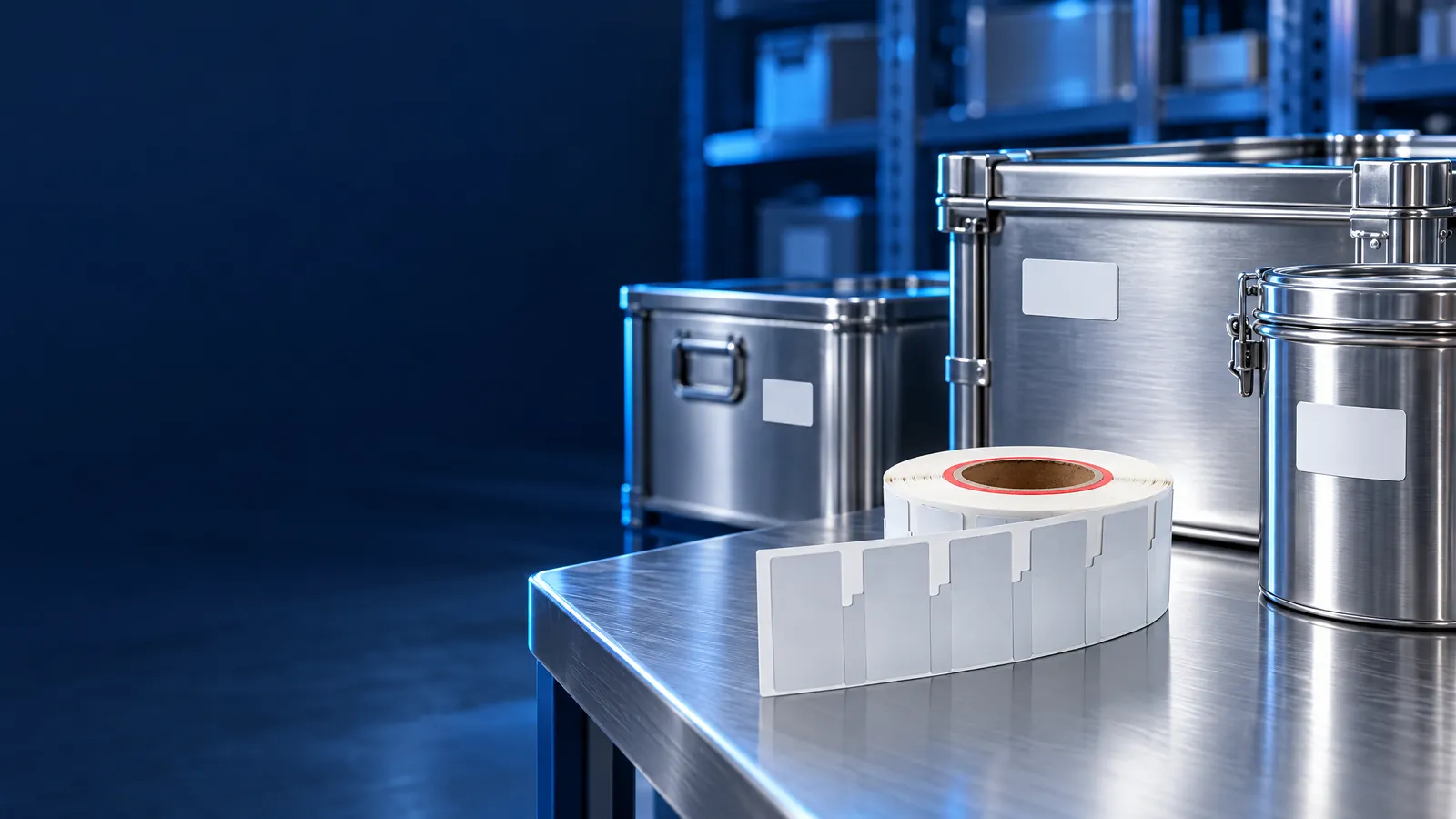
Flexible on-metal RFID labels
Review mounting on metal assets and the documented M830 formats.
Review product information
 Request a Quote
RFID / CONNECTED OPERATIONS
Explore warehousing, industrial laundry and the RFID library, then continue into three related applications. One studio connects the scene, business checks and individual records.
Interactive solution studio
Choose an industry, then select its workflow. Inspect objects and item histories, pause, replay, change speed or jump to any step. All data is synthetic.
Open the complete studioThe studio loads as you approach this section.
Desktop: optional 3D playback, orbit and zoom. Phone, short landscape and reduced-motion: complete scenes and business controls with manual progress; views render on demand. This is a workflow demonstration, not an RF coverage, throughput or safety simulation.
01 / Industry workflow
Receiving, stocktake and dispatch in one complete environment.
Explore the complete sceneExplore the distribution-center workflow: tagged cartons, loading docks, a moving forklift, storage racks, read points and a live business monitor. Switch among three independent workflows, inspect scene objects and reconstruct the results by seeking.
Simulated quantities and time-compressed movement, with no WMS, ERP or physical reader connection. Blue areas illustrate reading points; they do not predict RF coverage or read rate.
Review mounting on metal assets and the documented M830 formats.
Review product informationReview the reader, antenna, tag and regional configuration together.
Review product information02 / Industry workflow
One linen identity through receipt, wash, sorting and delivery.
Explore the complete sceneUse the factory layout and complete linen lifecycle, including the continuous washing tunnel, standalone washer, dryer, spreader / ironer, folder, customer-sorting station and separate delivery areas. Inspect individual EPCs, ownership, batch and wash-cycle history.

Demonstration batch events add one valid wash cycle per item, without invented reads inside a washer. The compressed animation is not actual plant throughput, tag wash endurance or a hygienic-layout certification.
Review the documented 7010M830 format, attachment and actual processing requirements.
Review product informationPlan the receiving, clean-sorting and dispatch read points with compatible hardware.
Review product information03 / Industry workflow
Borrowing, collection audit and exit security stay connected.
Explore the complete sceneExplore the library workflow with shelves, books, self-service stations, sorting bins and security gates. Select a book or its read-history record to inspect its category, expected shelf, current location, loan status and recent journey.
No real reader identity, library management system or security hardware is connected. Tag frequency, card technology and gate compatibility require a project-specific review; the demo does not specify AFI/EAS encoding or a guaranteed detection rate.
Review the credential format and confirm its technology against the selected library system.
Review product informationReview label selection, collection data and compatibility questions alongside the credential workflow. Explore Library-Label Selection
Discuss this application04 / Application study
A packing line, a dispatch list and an item-level event trail.
Explore the complete sceneFollow six sample cartons through identity assignment, a conveyor read point, dispatch-list reconciliation and destination lookup. The complete studio monitor distinguishes raw reads, unique items, item records and exceptions.
Identifier matching alone does not prove authenticity. Review tamper evidence, credential security, access control and the verification method before choosing a solution.
Review the label, item material and encoding process.
Review product informationReview antennas, reading-point geometry and compatible tags.
Review product information05 / Application study
Registration, controlled passage and a movement history.
Explore the complete sceneExplore a holding barn and checkpoint with an illustrative ear-tagged animal, reader, gate and registration office. The first sample passes only after permission; an unknown second identity remains outside for review.
Animal-tag model, attachment, relevant welfare requirements and operating technology remain to be confirmed. This demo does not measure health. LF animal-tag systems and UHF reading systems are not interchangeable by assumption.
Review the archived animal-identification formats and the current-model requirements. Confirm intended use, attachment and the compatible tag/reader pair before selecting a product. Explore Animal-Identification Formats
Discuss this application06 / Application study
People and vehicles. Entry and exit on one timeline.
Explore the complete sceneExplore people, cars, electric bicycles and motorcycles in a campus layout with separate pedestrian and vehicle lanes. The identification point, permission decision, direction, scene movement and individual event record follow the same deterministic studio timeline.
No real student information, vehicle-registration data, plate, VIN or live access control is connected. Identification technology, credential/device compatibility, installation and access rules require project confirmation. Review privacy, emergency access and fail-safe behavior for deployment.
For people: review credential security, reader compatibility and personalization. Vehicle-identification technology is not implied by this card family.
Review product informationFor vehicles, confirm the identification method, compatible credentials and devices before choosing hardware. Review project requirements
Discuss this applicationAdditional application planning
Connect the garment identity to production, packing, receiving and inventory records. Review the inlay or label, encoding data and read-point layout around the actual garment and packaging.
Choose the format, application position, visible marking and encoding rules.
Define receiving, transfer and dispatch records, then separate duplicate reads from item exceptions.
Agree the inventory data, system interfaces and sample-test criteria before selecting a configuration.
People, pets and items
Close-range identity, managed-area presence and positioning have different infrastructure and power requirements. Start with the target, environment, records and accuracy requirement; confirm the technology and compatible devices for the application.
Describe the person, pet or item workflow and the events that need to be recorded.
Review readers, network, platform, power and operating conditions as one architecture.
Define consent, access, retention and acceptance criteria. No location accuracy or universal device compatibility is implied.
For livestock movement, explore the animal-management workflow. Pet identity and livestock workflows require their own compatible tag and reader review.